 As featured byTheBrimFactor on YouTube
TackNote tacks a note to the window, tab, document or chat it's about, and shows it only when you're back there. No more sticky notes you've learned to ignore.
“TackNote is saying, tell me what this note is for, and I will show it to you when you are actually doing that thing.”
Free for 7 days. Or buy once for $24.99, one license for up to 3 computers.
Sticky notes everywhere, until you stop seeing any of them.
The reminder is in a notes app. The work is in another window.
The note turns up after the email is sent or the edit is exported.
TackNote puts the note where the work is, and shows it when you get there.
Tack a note to a browser tab, a document, a DaVinci Resolve project, a Finder folder or a Slack channel. Switch away and it steps aside. Come back and it's waiting.
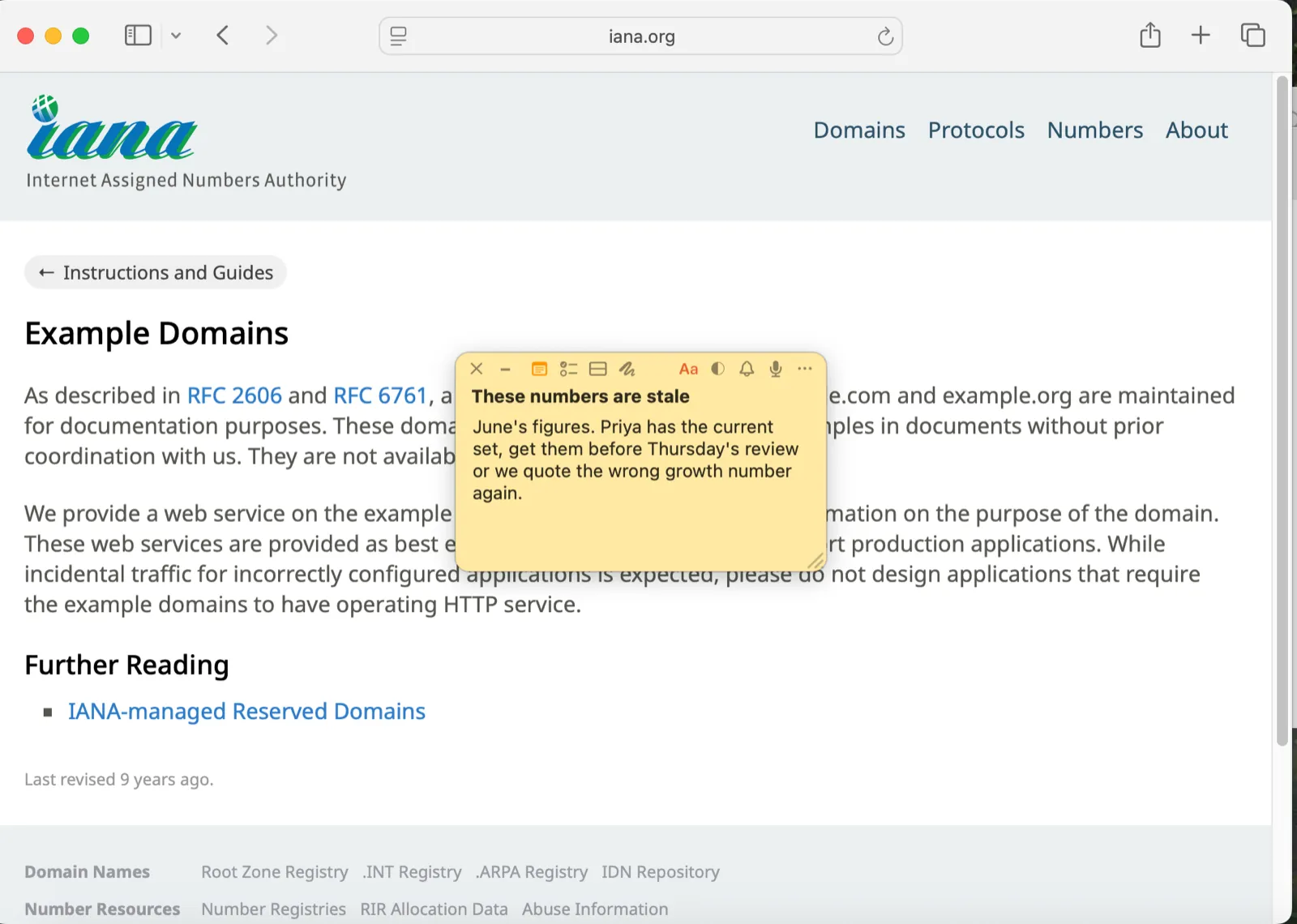
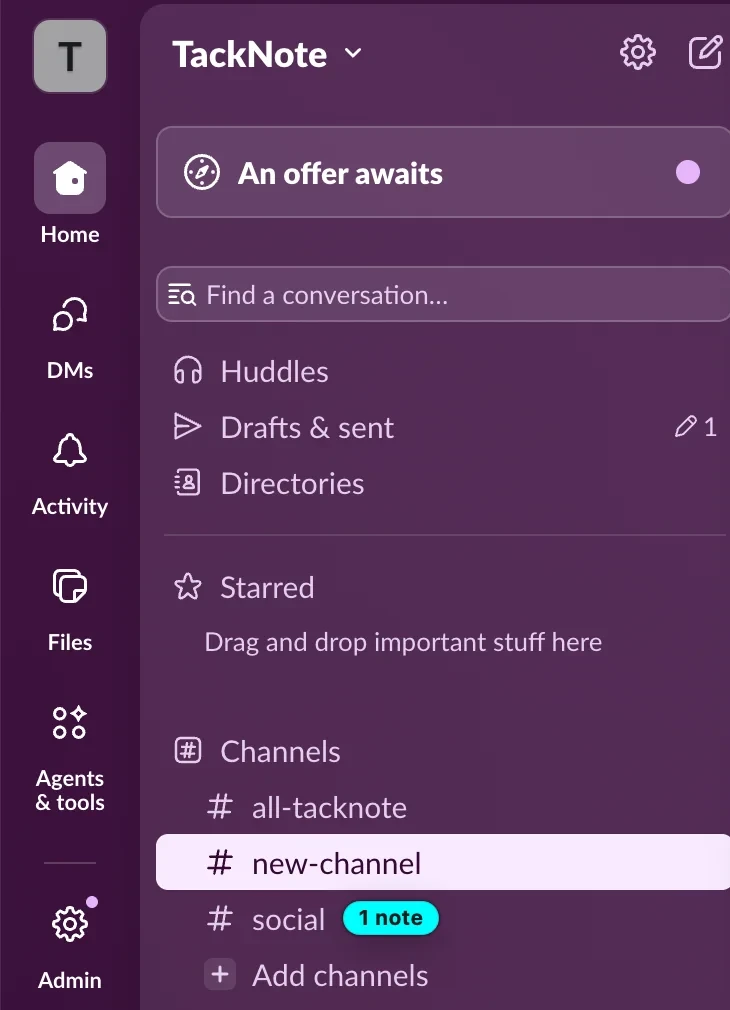
A window whose note stepped aside keeps a small "1 note" tag. In Slack and Teams the tag sits right beside the channel. Click it and you're there.
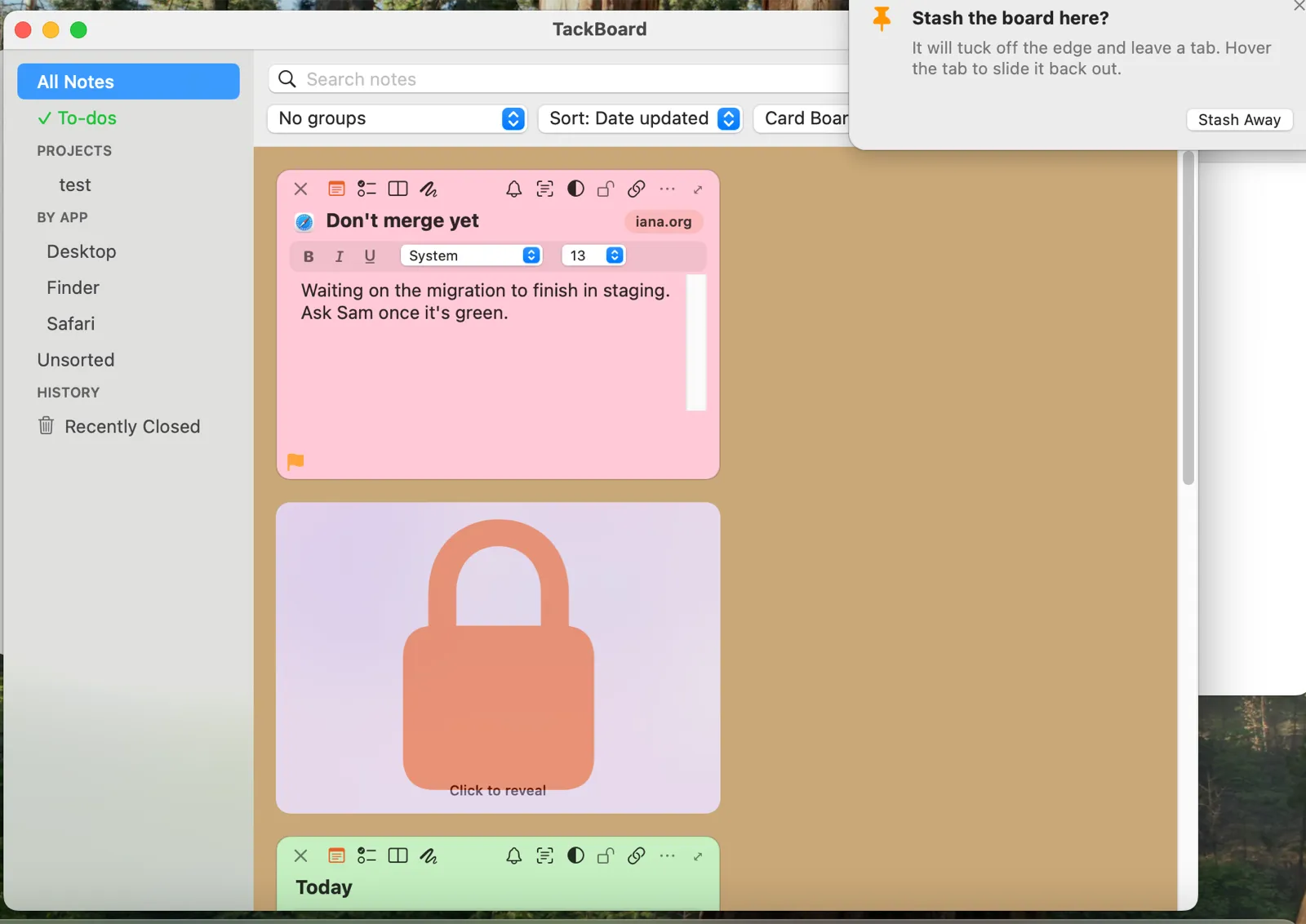
TackBoard gathers every note: searchable, with to-dos, reminders and projects. Your notes are encrypted on your computer, and nothing is sent to us.
“Switched from Stickies and I'm not going back. Projects keep my notes organized, and pinning stickies to specific apps and browser tabs means the right note surfaces exactly when I need it.”
“I am obsessed with sticky notes and they tend to be all over the place and I start to ignore them. I absolutely love this TackNote app, it basically slaps me in the face with my notes and makes it where I can't ignore them.”
“It's not everyday that we bump into a revolutionary idea made into an app. It's the case with TackNote. And the support is outstanding.”
Use every feature for 7 days. If it earns a spot on your computer, it's one payment and it's yours.
No. TackNote is one payment of $24.99, and one license covers up to 3 computers, Mac or Windows.
Your notes stay right where they are. Buy a license whenever you're ready and everything keeps working. No card is needed to start the trial.
TackNote works with Safari, Chrome and Firefox tabs, Slack, Microsoft Teams, Finder folders, Mail, DaVinci Resolve, Photoshop, Xcode, Office apps and more. A note can also float on your desktop.
Yes. Notes are encrypted on your computer with a key that stays on it. On a Mac, iCloud sync encrypts them before they leave, and with Apple's Advanced Data Protection turned on it is end-to-end encrypted. There are no accounts and no trackers in the app.
Yes, TackNote for Windows is available now, and the same license covers it. Your notes can even sync between your Mac and your PC through a folder you already share. TackNote for iPhone and Android is coming soon.
Free for 7 days. No card. No subscription. Mac or Windows.
